Chess Flashcards
Flashcards turn your Studies into exercises you can practice on the board. Choose the type according to what you want to learn: a repertoire decision, a concrete line, or a practical result.
Choose a Flashcard type
| Type | Best suited to | What you practice |
|---|---|---|
| Opening | Opening repertoires and prepared variations | Recalling your moves from positions in the Study. |
| Tactic | Combinations, mating sequences, and concrete solutions | Playing a line from the Study's starting position, including the responses you have prepared. |
| Goal | Endgames and practical middlegames | Playing against computer responses and judging when you have reached a target. |
For example, choose Opening for a response to a common opening move, Tactic for a forcing combination, and Goal for practicing a favorable endgame.
Enable Flashcards for a Study
- Open the Study and check Study as: White or Black.
- For Opening or Tactic practice, add the moves and variations you want to train.
- Turn on Flashcards, either in the Study toolbar or its name menu.
- Choose the appropriate type and confirm.
- Open Flashcards to find and select the resulting material.
You can also select a Flashcard type while creating a Study. Check your playing side first: the Study's side selector cannot be changed while Flashcards are enabled.
Opening Flashcards
Opening Flashcards focus on positions throughout a Study. This lets you practice decisions across the repertoire and identify the parts that need more repetition.
Add the moves you actually intend to play. If a branch has no continuation for your side, develop it in the Study before expecting to practice that response.
Use Opening Builder to expand the material gradually. A short, understood line is a useful starting point; you can add an opponent's new response after meeting it in a game.
Tactic Flashcards
Tactic training starts from the Study's initial position and follows its solution lines. Add the relevant defenses as variations if you want to practice against more than one opponent response.
In Settings → Training, the tactic completion mode lets you choose between completing all lines and completing one random line.
If you need help constructing the solution, use the Study's Compute Solution tool, then review the result. The training material should include the defenses you want to recognize, not just the first attractive continuation you find.
Goal Flashcards
Goal training asks you to reach and recognize a target position while the computer responds to your moves. It is useful when the lesson is a practical outcome rather than one fixed sequence.
- Start training a Goal Flashcard.
- If a goal has not been set, choose one and click Set Goal.
- Play against the computer's responses.
- When you believe the target has been reached, click Claim Goal Reached.
- Review the result and retry if necessary.
Goals include equality and different levels of advantage. The app checks the position using its engine settings, so the exercise also tests your judgment about the resulting position.
Before claiming the goal, ask yourself what has changed: Can the opponent still create counterplay? Is your extra material usable? Can you explain the next step?
Find Flashcards to train
The Flashcards view lets you search and filter by type, phase, and tags, then select Flashcards for a session. It also distinguishes Flashcards that are due from the full collection.
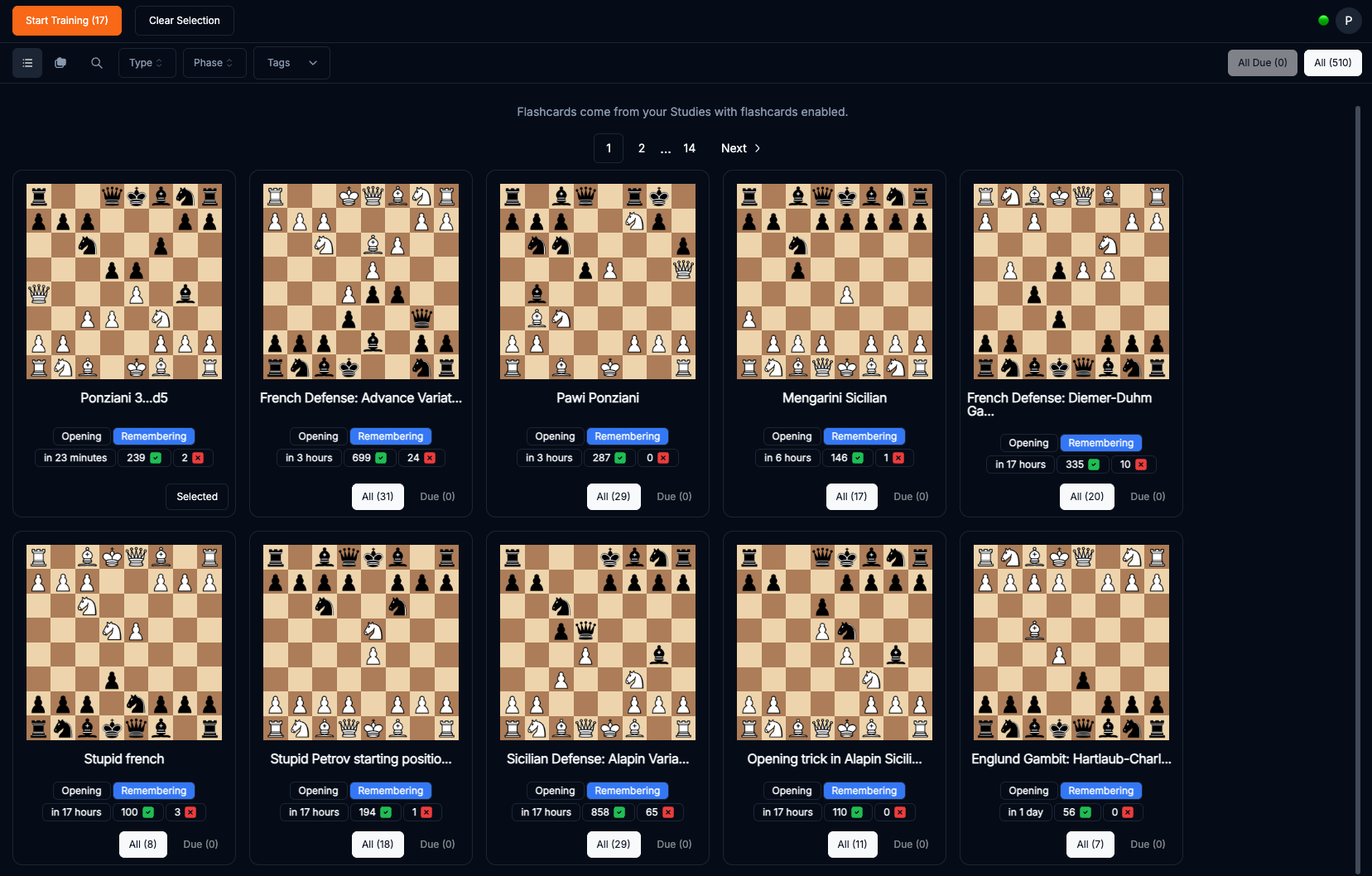
Go to Training and spaced repetition for the review workflow and the difference between Learning and Remembering.