See a chess position?
Analyze it instantly.
Turn a diagram on a webpage or in a video into an interactive board. Scan the position, explore the moves, and keep the ones you want to study.
Free scanning. Using Edge? Get the Chrome version.
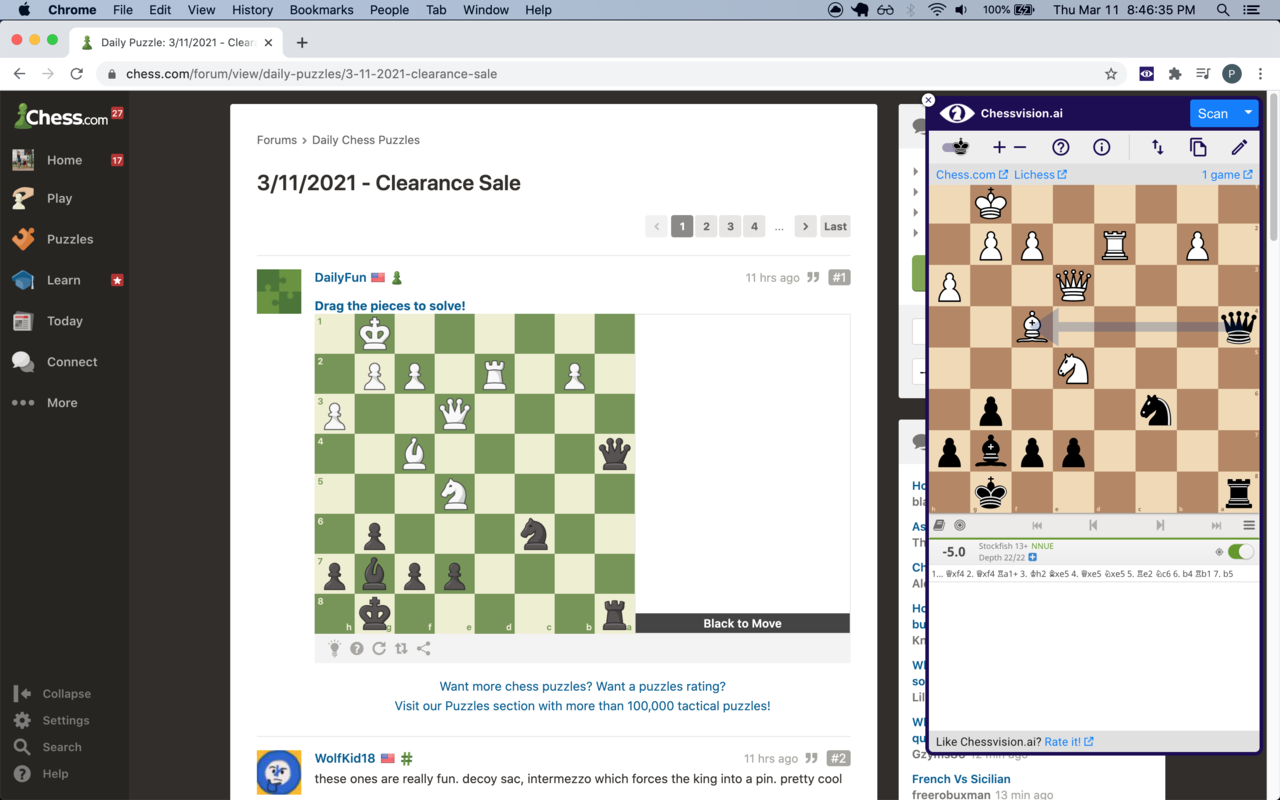
Less setup. More chess.
A puzzle, a diagram in an article, or a position from a lesson. Start with what is already on your screen.
Find a position
Open a webpage with a chess diagram. Watching a video? Pause it with the board visible.
Click Scan
Open Chessvision.ai from your browser toolbar and click Scan. Use Select Area when you want to choose one board from several.
Explore the moves
Play through your ideas on the board. Turn on the engine to explore continuations, or copy the FEN to use the position elsewhere.
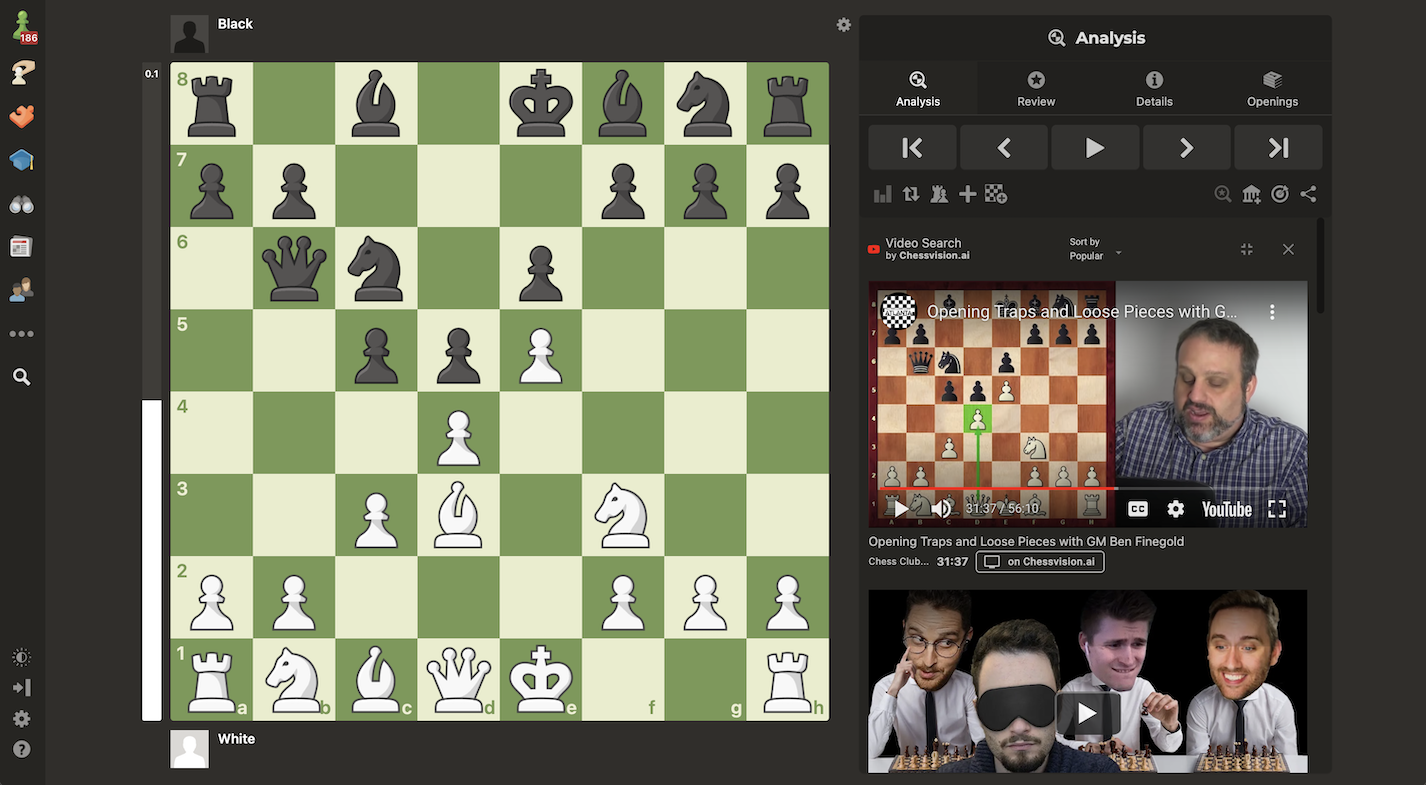
Find a video that explains it.
Open the Videos tab after a scan to find YouTube videos that feature the position.
In Chrome, Chessvision.ai also adds video search to supported Chess.com and Lichess analysis pages, so you can find explanations while you study.
Keep the positions
worth coming back to.
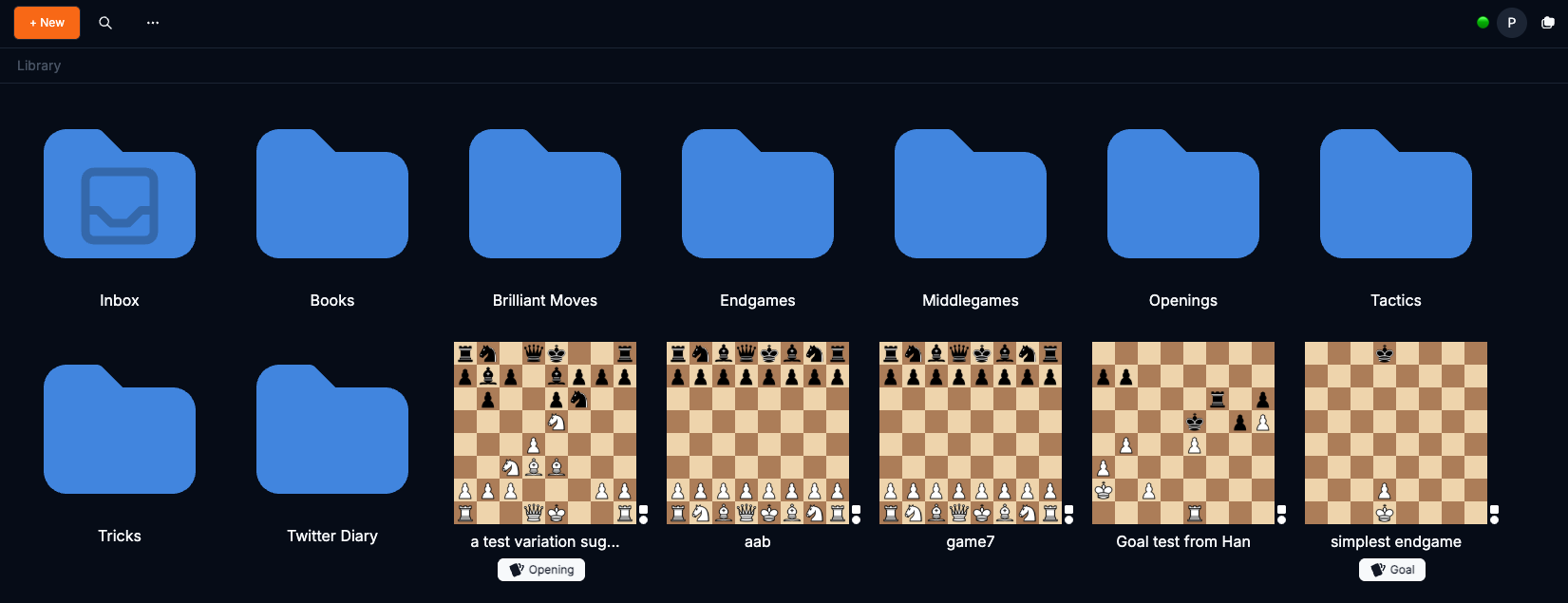
A useful position should not disappear when you close the tab. Save it from the extension and pick it up later in Library.
Open Library- Save from the extension
Sign in with your Chessvision.ai account and click the star after scanning.
- Find it in your Inbox
Open Library with the same account. Your saved position is there, ready to study.
- Build your own collection
Organize Studies into folders. Enable Flashcards on a Study to practice its positions.
What players say about the extension
Absolute best chess plugin, this saves so much work compared with manual position setup.
I rarely write reviews but this has been really helpful for me. Any chess project that needs disecting and scanning diagrams, this is the best. Better than normal LLMs at scanning.
Questions about the chess extension
Which browsers can I use?
Is the browser extension free?
Can I scan a position from a YouTube video?
What if there are several chessboards on the page?
Can I copy the position as FEN?
How do I save a position to Library?
Your next position is a scan away.
Add Chessvision.ai to your browser and start exploring.